 DomCop
Buying a new domain name is like starting a business in an empty desert. You have to build everything from scratch, and it takes a long time for people to find you.
But what if you could move into a building that already has customers walking by? That is exactly what happens when you use an expired domain finder.
These sites help you find web addresses that someone else already built up and then let go. Instead of starting at zero, you get a head start with existing power and history. In this guide, we will show you how to find these hidden gems without wasting your money on junk.
What is an Expired Domain Finder?
An expired domain finder is a specialized search tool that helps you locate web addresses that have reached the end of their registration period. Every website owner must pay a yearly fee to keep their name. When they stop paying, either because they forgot or the business closed, that name eventually goes back on the market.
Think of it like a digital foreclosure listing. Rather than searching a brand-new name with no history, these finders allow you to browse thousands of older domains that already have:
- Trust from Google because the domain has been around for years.
- Existing Backlinks from other websites that still point to that address.
- Traffic from people who still remember the old site or find its links online.
Without an expired domain finder tool, it would be impossible to see which of the millions of expiring domains are actually worth buying. These sites do the heavy lifting by scanning the internet and organizing the good domains into a list you can search through.
The 3 Types of Expired Domain Finders (Which one do you need?)
Not every expired domain finder works the same way. Depending on your budget and what you are looking for, you will want to use a specific type of site.
1. The Free Databases (Best for Bargain Hunters)
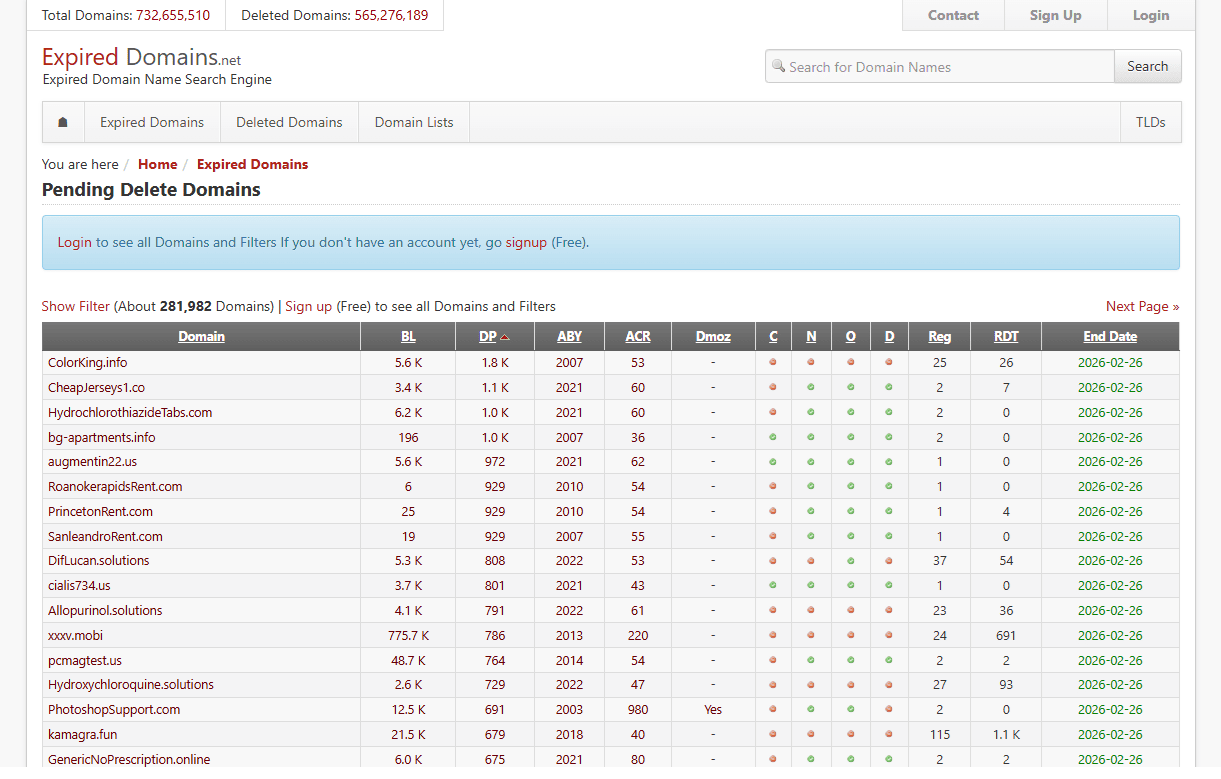
ExpiredDomains.net
These sites are basically massive search engines. They collect lists of domains that have already expired and are available for anyone to register at the standard price (usually around $10).
- ExpiredDomains.net: This is the most famous free tool. It tracks millions of domains across hundreds of endings (like .com, .net, or .org). You can use its filters to find domains that already have backlinks or that were started many years ago.
- WhoisFreaks: This is a great alternative if you want a simple daily list. They offer a free tier that gives you thousands of freshly dropped domains every single day in a clean, easy-to-read format.
2. The Paid Databases (Best for SEO Professionals)
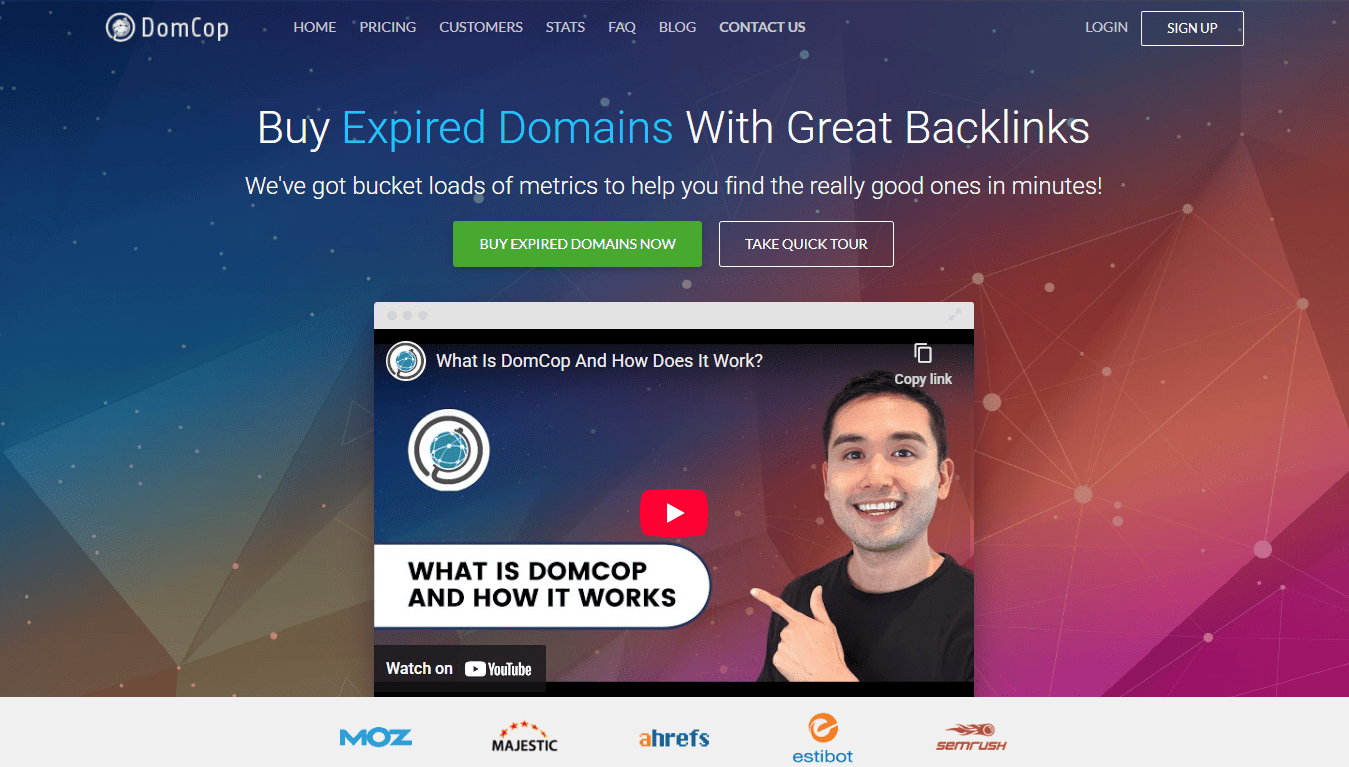
If you are serious about SEO, you probably want more data than a free site provides. Paid databases do the heavy lifting for you by checking if a domain is spammy or has high authority before you even click on it.
- DomCop: This tool is like a powerhouse for research. It scans millions of domains and displays advanced metrics such as Domain Authority (DA) and Trust Flow (TF). It saves you hours of manual work by highlighting the best domains automatically.
- SpamZilla: This site focuses on safety. It uses a special “Spam Score” to tell you if a domain was used for something shady in the past. It’s the best choice if you are worried about buying a domain that Google has already banned.
3. The Auction Sites (Best for High-Power Domains)
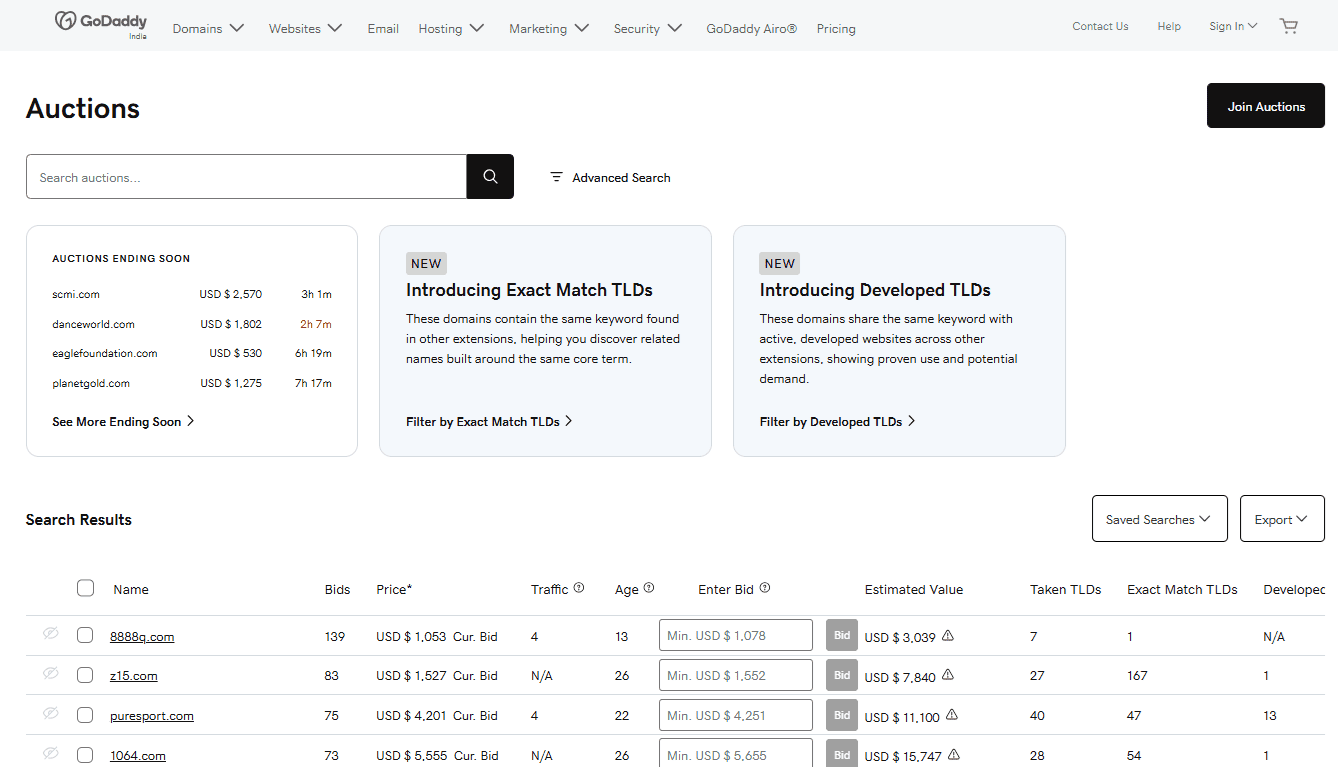
GoDaddy Auctions
Before a domain is completely deleted, it usually goes to an auction. This is where the heavyweights hang out. You aren’t just registering a name; you are bidding against others to own it.
- GoDaddy Auctions: Since GoDaddy is the world’s largest registrar, its auction site has the most inventory. You can find “Closeouts” here for as low as $5, or bid on premium names that have been active for 20 years.
- Sedo: This is a global marketplace. It’s perfect for finding premium, one-word domains or domains that already have existing traffic from real visitors.
4. The Drop-Catching Services (Best for Competitive Names)
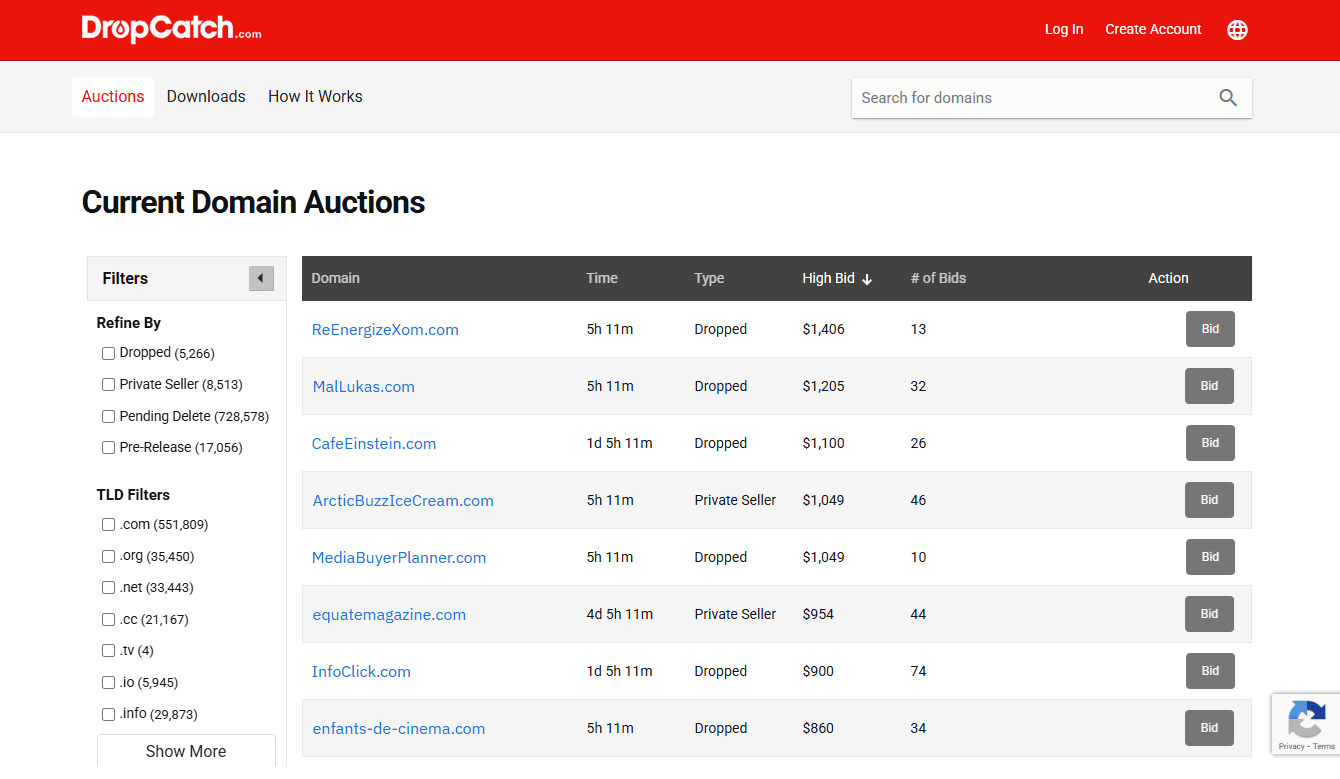
DropCatch
Sometimes, a domain is so good that hundreds of people want it the exact second it becomes available. You can’t win that race manually. These services use high-speed software to “catch” the domain for you.
- DropCatch: This is the industry leader for “snagging” domains as they drop. You place a backorder, and if they catch the domain, you either get it for a flat fee or it goes to a private auction among the people who backordered it.
- SnapNames: Similar to DropCatch, they have exclusive partnerships with many registrars, giving you a better chance of catching a name that is expiring on a specific network.
Quick Comparison: Which Expired Domain Finder is Right for You?
| Finder Tool | Category | Best For | Why Choose It? |
| DomCop | All-in-One | Serious SEOs & Investors | Shows 90+ metrics (Moz, Majestic, etc.) in one place. Best for finding high-power domains fast. |
| ExpiredDomains.net | Free Database | Beginners | Great for finding $10 domains if you have time to dig. |
| GoDaddy Auctions | Auction Site | High-Value Names | Best for bidding on old, established domains. |
| SpamZilla | Analysis Tool | Spam Checking | Good for double-checking if a domain has a “dirty” history. |
| DropCatch | Drop-Catcher | Competitive Snagging | Best for catching a domain the second it hits the market. |
How to Pick a Winning Domain (The 3-Step Filter)
When you use an expired domain finder, you will see thousands of results. Most of them are junk. To find the gold, you need to run every domain through these three simple checks:
1. The Wayback History Check
Before you buy, go to a free site called the Wayback Machine (Archive.org). Type in the domain name and look at snapshots of what the website looked like 2, 5, or 10 years ago.
- Good Sign: It was a real blog, a local business, or an organization that stayed on the same topic for years.
- Red Flag: If you see the site suddenly changed into a Chinese pharmacy, a gambling site, or a link farm full of random articles, walk away. Google has likely already blacklisted it.
2. The Backlink Quality Test
A domain is only valuable if it has links from other real websites. Use an SEO tool to look at the referring domains.
- Good Sign: Links from famous sites like The New York Times, Wikipedia, or popular niche blogs.
- Red Flag: If it has 10,000 links but they all come from comment spam or strange foreign websites that have nothing to do with the topic, the domain is toxic.
3. The Site: Search
This is the easiest method you can follow. Simply go to Google and type site:example.com (replace with the domain you found).
- Good Sign: If Google shows a few pages still indexed, it means the domain is still in Google’s good books.
- Red Flag: If no results appear, the domain might be banned or de-indexed, meaning it won’t help your SEO at all.
How to Use an Expired Domain Finder: A Step-by-Step Guide
Finding a great domain is like mining for gold. You have to sift through a lot of dirt to find the nuggets. Here is exactly how to use a finder tool to get the best results in just a few minutes.
1. Start With Your Seed Keywords
When you open a tool like DomCop, don’t just look at the main list. Use the search bar to enter a seed word related to your business (like “coffee,” “tech,” or “marketing”). Doing this confirms that the domains you find are relevant to your niche, which is the most important SEO factor.
2. Set Your Minimum Quality Filters
Most finders have thousands of junk domains. You need to hide them immediately. Set these basic filters before you start browsing:
- Domain Extension: Stick to .com, .net, or .org. These are the most trusted by users and search engines.
- Domain Age: Set the “Birth Year” filter to at least 3 years ago. You want a domain that has been around long enough to build a reputation.
- Backlink Count: Look for a minimum of 20 “Referring Domains.” This means at least 20 different websites are linking to this name.
3. Sort the List by Power
Once your filters are set, sort the results. Most people sort by the number of backlinks or a metric like Domain Authority (DA). This puts the most powerful names at the very top of your list, so you don’t have to scroll through hundreds of pages of weak domains.
4. The Brandable Eye Test
Before you look at the data, look at the name itself. Ask yourself: “Does this sound like a real company?”
- Good: MorningBrew.com (Simple, catchy, easy to remember).
- Bad: best-cheap-coffee-beans-online-2024.biz (Looks like spam and is hard to type).
- Tip: Avoid domains with too many hyphens or random numbers.
5. Perform a Deep Dive Audit
Once you find a name you love, don’t buy it yet. Take the domain and run it through the Wayback Machine.
- Check the calendar for the last 5 years. If the site was a “Health Blog” for 4 years but suddenly became a “Crypto Casino” last year, it is likely to be penalized.
- Next, do a Google search for site:yourdomain.com. If nothing shows up, the domain might be banned from Google’s index.
6. Decide on the Purchase Method
Depending on where the finder found the name, your next step will vary:
- If it’s a “Dropped” domain, go to your favorite registrar (like Namecheap) and buy it for the standard $10 price.
- If it’s an “Auction” domain, you will need to place a bid. Pro tip: Don’t bid too early. Wait until the final hours of the auction so you don’t drive the price up too fast.
Common Pitfalls: What to Avoid When Buying a Domain
Even if a domain looks perfect on an expired domain finder, there are hidden traps that can ruin your investment. Here are the most common mistakes to watch out for:
Buying a Penalty Hangover
Sometimes a domain has great stats, but Google has already banned it. This happens if the previous owner used it for spam or “black hat” tricks. If you buy a penalized domain, your new content will never show up in search results, no matter how hard you work. Always check the Google “site:” search first.
Ignoring Trademark Issues
This is a big one. Just because a domain like AppleWatchDeals.com is expired doesn’t mean you should buy it. Large companies have trademarks, and they can legally take the domain away from you without paying you a cent. Avoid any names that include famous brand names.
Overpaying at Auctions – Don’t Get Too Excited
It is easy to get bidding fever on sites like GoDaddy Auctions. People often pay $500 for a domain that is only worth $50 because they get caught up in the competition. Set a strict budget before the auction starts and stick to it.
Falling for Fake Metrics
Some sellers use tricks to make a domain look more powerful than it is. They might point thousands of junk links to it right before it expires to inflate the Domain Authority (DA). Always look at the quality of the links, not just the number. One link from a site like The New York Times is worth more than 10,000 links from random forums.
Niche Mismatch
Google cares a lot about relevance. If you buy an old “Cooking” domain and try to turn it into a “Crypto” site, Google will likely reset the domain’s power. Try to find a domain that matches the topic you plan to write about.
Conclusion
Using an expired domain finder is the closest thing to a shortcut in the world of SEO. It lets you skip the months of waiting that come with a brand-new domain and start with a site Google already trusts.
Whether you use a free tool like ExpiredDomains.net or a professional paid tool like DomCop, the secret is always in the research. Don’t rush. Filter for quality, check the history, and make sure the name is clean. If you do that, you’ll be well on your way to building a successful website.
Expired Domain Finder FAQs
How to find domain names that are about to expire?
You can use an expired domain finder like DomCop or ExpiredDomains.net to view “Pending Delete” or “Expiring” lists. These tools allow you to filter upcoming drops by date, niche, and SEO metrics.
Are expired domains free?
No, you generally have to pay for them. If a domain has fully dropped, you pay a standard registration fee (around $10), but if it is in an auction or caught by a service, it can cost significantly more.
How to get an expired domain name?
You can buy them in three main ways: purchasing dropped names from a regular registrar, bidding on them at an auction (like GoDaddy Auctions), or using a drop-catching service to grab them the moment they become available.
How to retrieve an expired domain name?
If you were the previous owner, you can usually renew it during the “Grace Period” or “Redemption Period” through your registrar for an extra fee. If it has already been bought by someone else, you would have to contact the new owner and offer to buy it back.