
DomCop adds hundreds of thousands of domains to its lists every day from GoDaddy, NameJet, SnapNames, DynaDot, Sedo, DropCatch, Namecheap, Name.com, Park.io and the drop lists of more than 70 extensions. Most of them are worthless, so the job is to make the filters do the sorting. This guide finds domains that have real authority and will definitely be sold: an Open PageRank of at least 2, a Moz Domain Authority of at least 29, and no counter-offer listings.
Set the filters
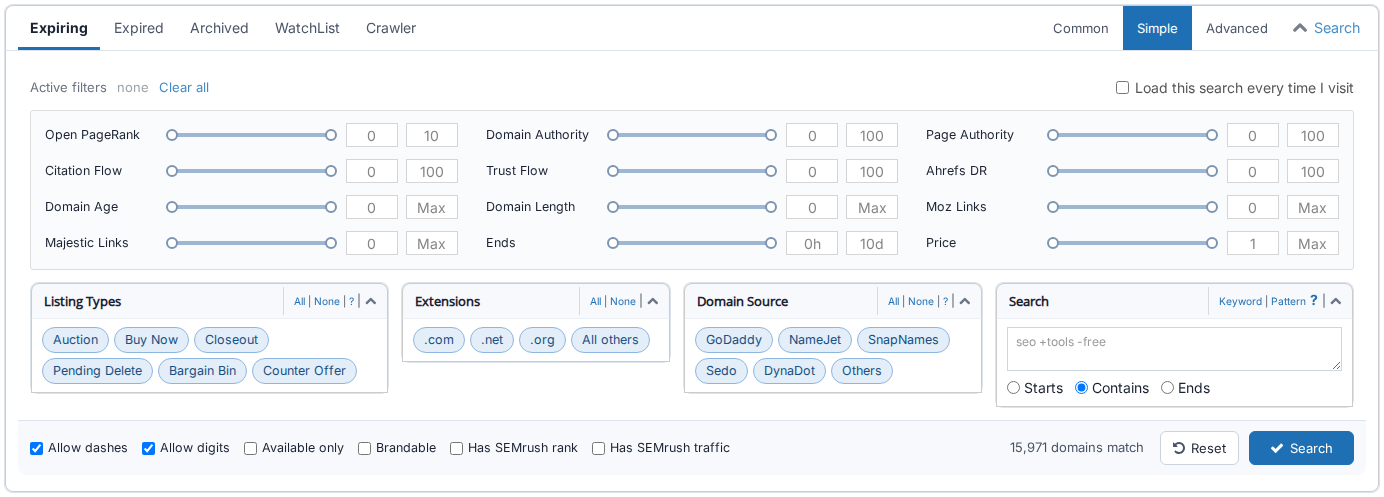
Open the domain table and pick Simple at the top right of the search panel (press Show Filter above the table if the panel is closed). Drag the Open PageRank slider to 2 - 10 and the Domain Authority slider to 29 - 100 (or type the numbers into the boxes next to the sliders). Under Listing Types untick Counter Offer: those are names a seller has listed without any obligation to sell. The "domains match" figure at the bottom right shows how many domains pass before you press Search.
Check the results
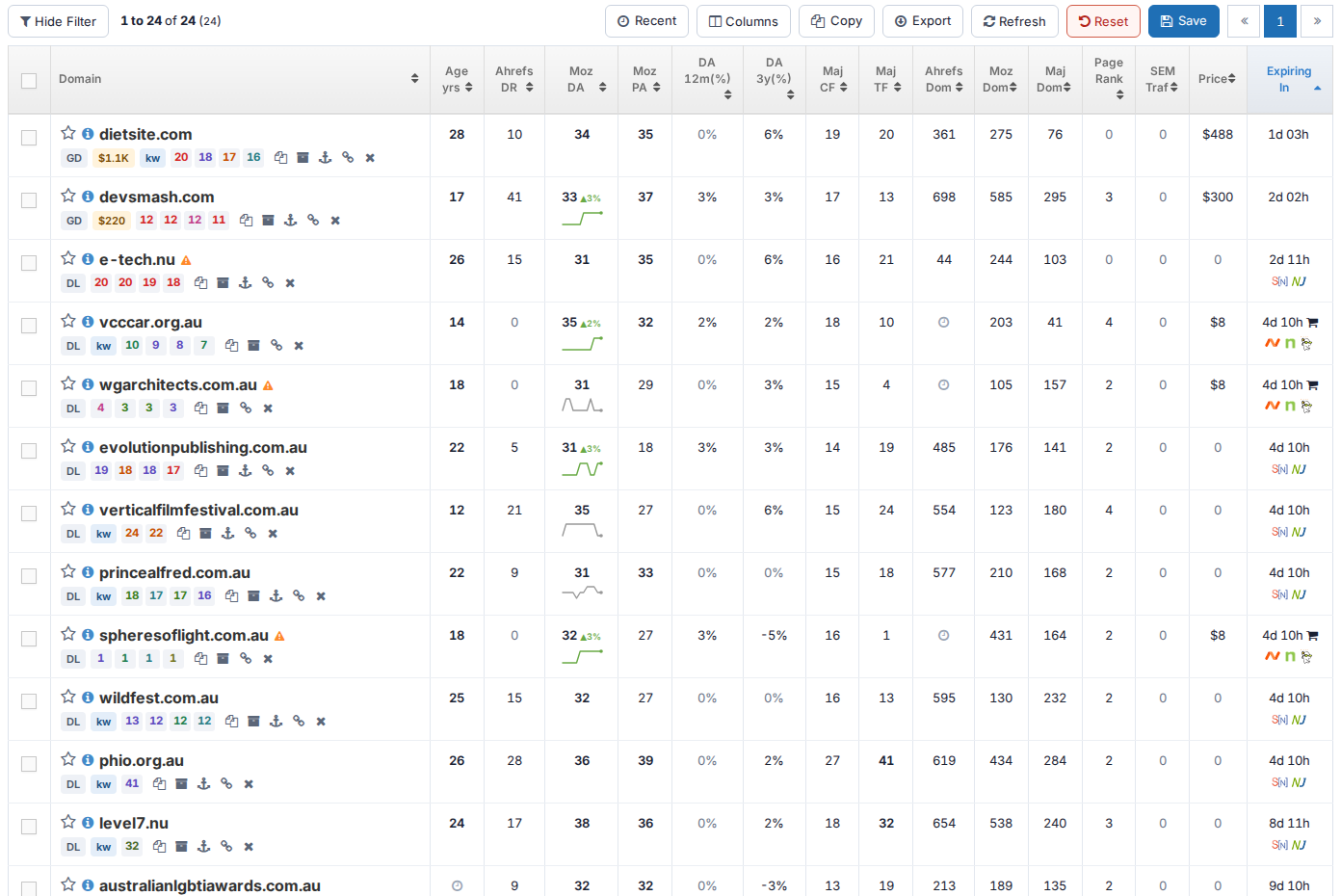
Look at the columns side by side: a domain with a high DA but a Trust Flow of 0 and no referring domains usually has inflated metrics. Good domains have a DA, a TF and an Ahrefs DR that agree with each other, and a DA trend line that is flat or rising. Click the info icon in front of any name to open its page with every metric, the anchor texts pointing at it and its strongest backlinks.
Narrow the list
Add a second metric once the first pass is short enough: a Trust Flow of 10 or more, a Citation Flow that is not more than three times the Trust Flow, a price ceiling, or only the extensions you want. In the Advanced search you can also hide adult and spammy names, require a category under Topical Trust Flow, or ask for a minimum website age from the Wayback Machine.
When a domain looks right, click the star in front of its name to add it to your WatchList, and click the name itself to go to the marketplace or registrar where it is sold.