It’s 2026, and if you’re still buying a new domain thinking that an expired domain won’t work, you need to reconsider your choices.
Finding a domain that has real organic traffic is one of the most practical shortcuts in SEO. When a domain expires, Google does not immediately remove its rankings. Pages can stay indexed for weeks, sometimes months, after the owner stops renewing. That window is what experienced SEOs take advantage of.
This guide covers the complete process of how to find expired domains with traffic, vet them properly, and avoid the domains that will cost you more than they deliver.
What Makes Expired Domains Worth Buying
Before you start searching for a domain, you need to know what you are looking for. An expired domain only becomes valuable when it still holds:
- Active organic rankings: pages still appearing in Google for real keywords
- A clean backlink profile: links from relevant, authoritative sites in the same niche
- A consistent content history: no abrupt topic switches and no spam periods
- 0 Google penalty: the domain is still fully indexed and not penalized by Google
A domain can show a high Domain Rating (DR) in Ahrefs and still deliver nothing if it was penalized, parked for years, or used in black-hat link schemes. Always dig beyond the top-line numbers before spending anything.
How to Find Expired Domains with Traffic: 9 Easy Steps
Step 1: Build Your Initial List Using DomCop
DomCop is one of the most reliable tools for finding expired domains at scale. It pulls from all popular domain marketplaces, including GoDaddy Auctions and NameJet, and gives you pre-integrated SEO data from Ahrefs, Majestic, and Moz in a single dashboard. This saves you from jumping between tools just to run basic checks.
But DomCop is not a free tool. If you want a free starting point, ExpiredDomains.net works on a similar concept but involves more manual work since the SEO data integrations are limited compared to DomCop.
After logging into DomCop, head to the expired or pending delete domain list. Pending delete domains are set to drop within five days, so you are reaching them right before they open up to everyone else.
Here are the filters you need to apply to narrow the list down to real candidates:
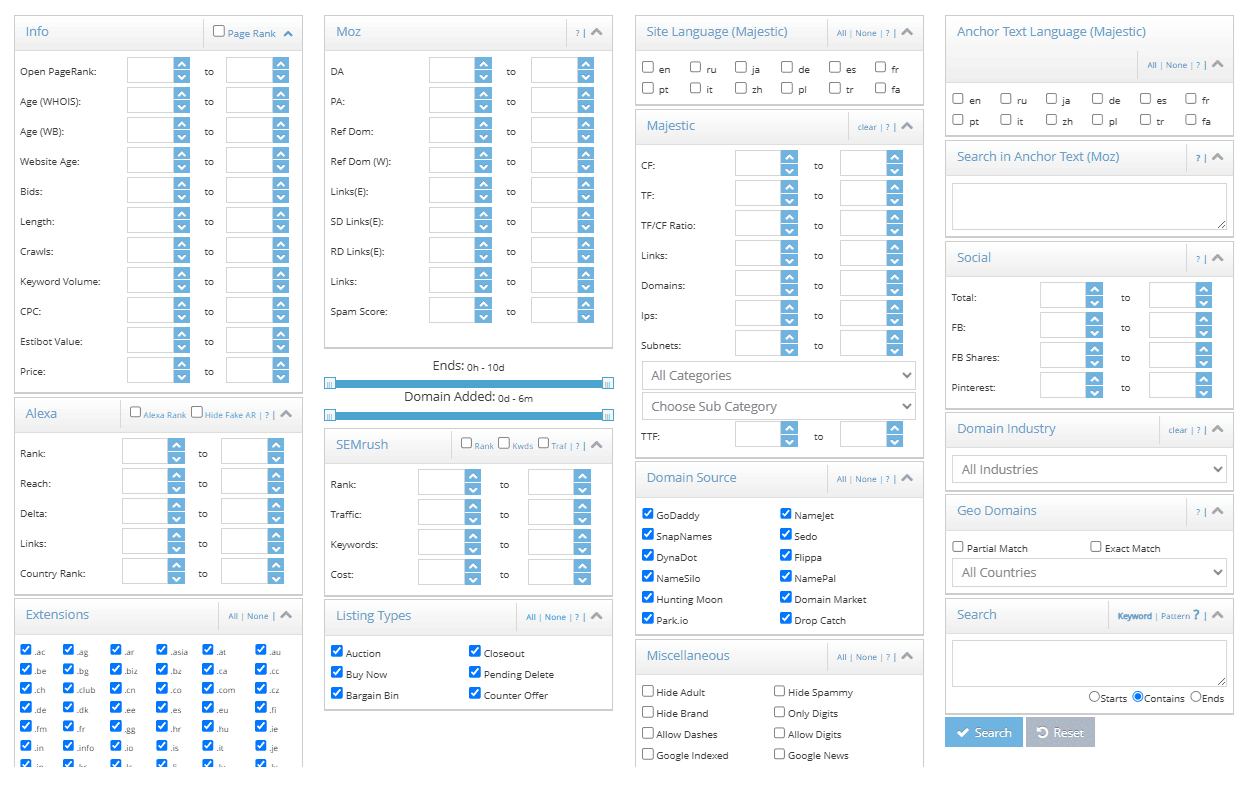
Majestic filters:
- Trust Flow (TF): minimum 10. TF measures the quality of backlinks pointing to the domain. Anything below 10 is rarely worth your time.
- TF-to-CF ratio: at least 0.5. Citation Flow measures link volume, and TF measures link quality. If TF is 10 and CF is 50, the links are mostly low-quality. A domain with TF 20 and CF 30 is far stronger than one with TF 10 and CF 60.
- Topical Trust Flow: select your niche category. This filters for domains that have built authority in a specific topic area rather than through unrelated links.
Common filters:
- Set the TLD to .com unless you have a specific reason for using another extension.
- Add keywords in the “Contains” field to find domains tied to your topic.
- Set a minimum domain age to prioritize older, more established domains.
Traffic filters:
- Set a minimum search volume using the Ahrefs or SEMrush traffic columns inside DomCop. This removes domains that never ranked for anything people actually search.
After you apply these filters, you will have a much shorter list of real candidates. Export up to 200 domains in a CSV file and take them into the next step.
Step 2: Run Batch Analysis in Ahrefs
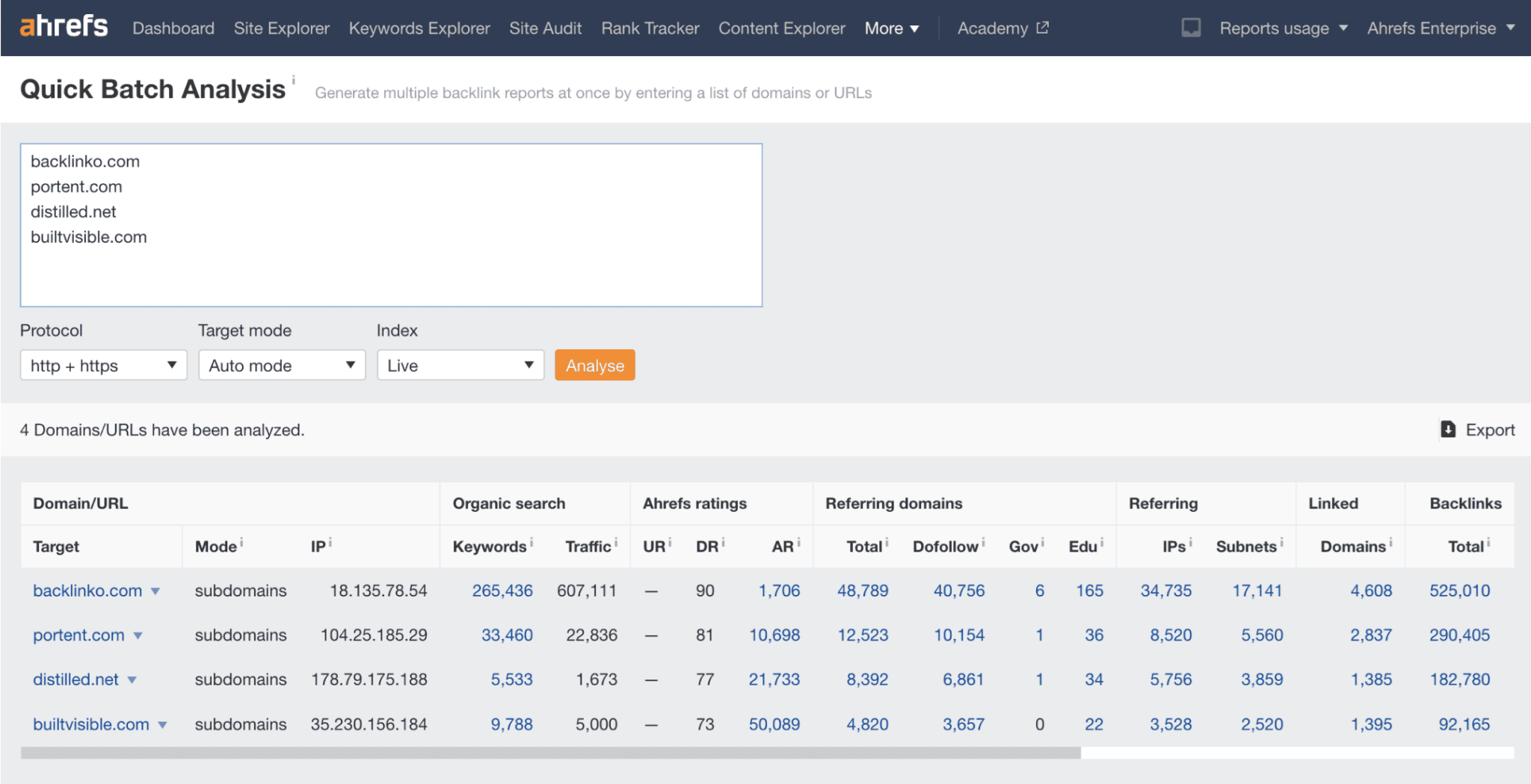
Ahrefs quick batch analysis tool
Ahrefs has a Batch Analysis tool under the “More” menu in the top navigation. Paste your exported list there and run the analysis. Once the results load, sort by DR from highest to lowest.
Here is what to focus on as you go through the results:
- DR 30 or higher. Anything below this threshold rarely carries enough link equity to justify the time spent.
- Referring domains above 30. The number of unique sites linking in matters far more than the total backlink count.
- Some organic traffic still showing. Even a small number confirms the domain is at least partially indexed and still alive in Google’s eyes.
One ratio worth watching closely is the relationship between total backlinks and referring domains. A domain with 50,000 backlinks but only 800 referring domains has a heavily concentrated link profile, which often points to a link scheme. Natural profiles show roughly three to five backlinks per referring domain on average.
Shortlist the domains that pass these checks, then move each one through a deeper inspection.
Step 3: Check Organic Traffic History in Ahrefs Site Explorer
This is the step where you confirm whether a domain has real traffic, not just backlinks.
Paste each shortlisted domain into Ahrefs Site Explorer and open the Overview tab. Look at the organic traffic graph over the past two to three years.
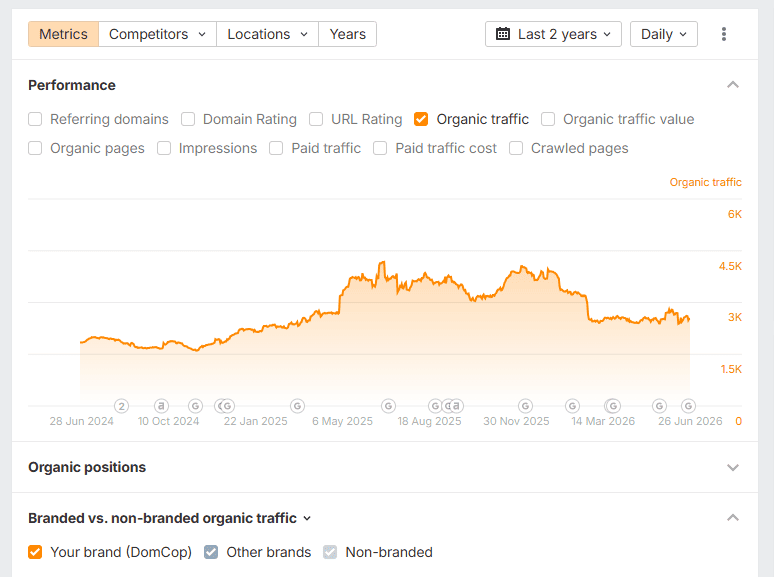
Here is what a good traffic history looks like:
- Consistent traffic over 12 to 24 months, with a gradual decline that started only around the time the domain expired.
- Rankings for real informational or commercial keywords, not just branded search terms.
- Traffic that dropped recently, not years before the domain went offline.
Here are the patterns that signal a problem:
- A steep traffic cliff that happened years before expiry, which often points to an algorithmic penalty.
- Flat traffic throughout the entire history, suggesting the domain was never properly active.
- A sharp spike followed immediately by a crash, which is a common pattern from a paid link campaign that Google reversed.
After reviewing the traffic graph, go to the Organic Keywords report. Filter to see which keywords the domain currently ranks for. If pages still rank in positions 10-30, Google has not fully withdrawn the domain’s authority yet. That is the window you are buying into before it closes.
Step 4: Find Expired Domains Through Ahrefs Broken Link Analysis
This method works differently from browsing a drop list. Instead of sorting through thousands of random domains, you look specifically for expired domains that are already linked to from sites within your niche. Because the relevance is pre-confirmed, this approach consistently turns up higher-quality finds than a filter search alone.
Here is the full process:
- Go to Ahrefs Site Explorer and enter a competitor’s domain or a high-authority site in your niche.
- In the left menu, click Outgoing Links, then select Broken Links.
- Change the link type filter to DoFollow only, since these are the links that pass ranking authority.
- Export the full list as a CSV file.
- Open the CSV and extract the root domains from the broken link URLs.
- Paste those domains into a bulk availability checker like NameBright’s Bulk Search to see which ones you can register.
Every domain you find through this process is one that a real, relevant site was already linking to. When you register it, that link becomes active again and points to your site. Because you found it through a competitor’s outbound link profile, the niche alignment is already there.
This takes more time than a filter search, but the quality of what you find is consistently better. So don’t skip this step.
Step 5: Review the Domain’s History in the Wayback Machine
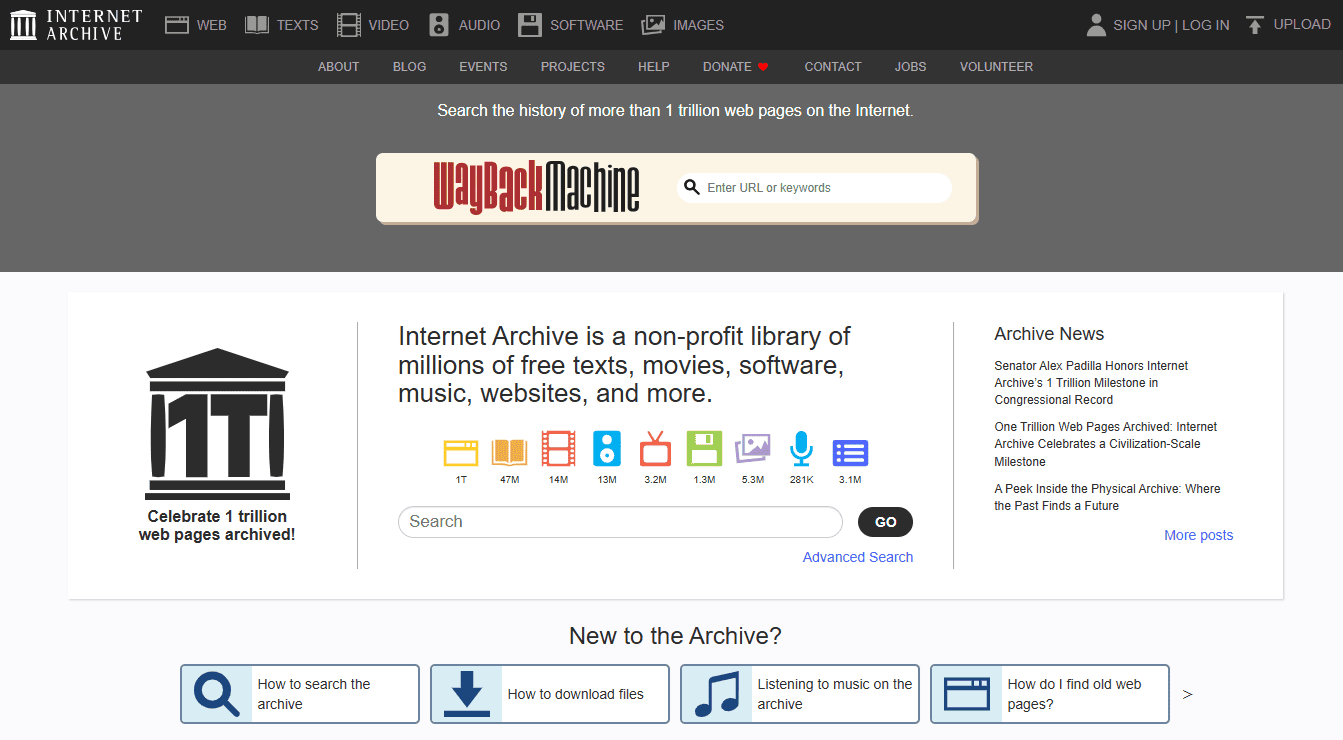
Check domain history using WayBack Machine
Before committing to any purchase, go to web.archive.org and enter the domain name. This is a common step most buyers skip, and it is the one that prevents the most expensive mistakes.
Work through snapshots from multiple years and look for consistency. A clean domain shows the same type of site on the same topic across its entire history. For example, if you see a fitness blog in 2018, the same blog in 2021, and a gradual slowdown through 2024, that is a stable history where the decline is explained by the expiry itself.
Here are the red flags that should make you walk away:
- Sudden language change. A site that went from English to Chinese or Russian overnight is almost always connected to spam activity.
- Unexplained niche switch. A recipe site that became a casino affiliate or pharmaceutical domain was almost certainly sold for link manipulation.
- Auto-generated content, thin page stubs, or doorway pages at any point in the archive history.
- Gaps followed by a completely different site. This pattern usually means the domain cycled through multiple spam campaigns.
Also, check how recently the Wayback Machine last crawled the domain.
A domain with snapshots from 2024 or 2025 was still active recently, which means its traffic and rankings are more likely to still be intact. A domain whose last snapshot is from 2019 or earlier has already lost most of its organic value, even if the backlinks are still pointing to it.
If you want a step-by-step walkthrough, read my blog where I compare the domain histories of 10 expired domains.
Step 6: Verify Whether Google Still Has the Domain Indexed
Run a site:domain.com search directly in Google. This shows you every page from that domain that Google currently holds in its index.
Here is what each result tells you:
- Indexed pages showing up: Google still recognizes the domain and its content. If some of those pages rank for real keywords, the domain carries genuine organic traffic you can step into.
- Zero results despite solid DR in Ahrefs: This combination is one of the most common traps in expired domain buying. Zero-indexed pages alongside high DR typically point to a manual penalty or an algorithmic action that removed the domain from results entirely.
For domains that expired within the last 60 days, finding indexed pages is especially likely since Google does not deindex expired domains immediately. The numbers in a third-party tool do not override what Google actually shows you in this search.
Step 7: Audit the Backlink Profile in Detail
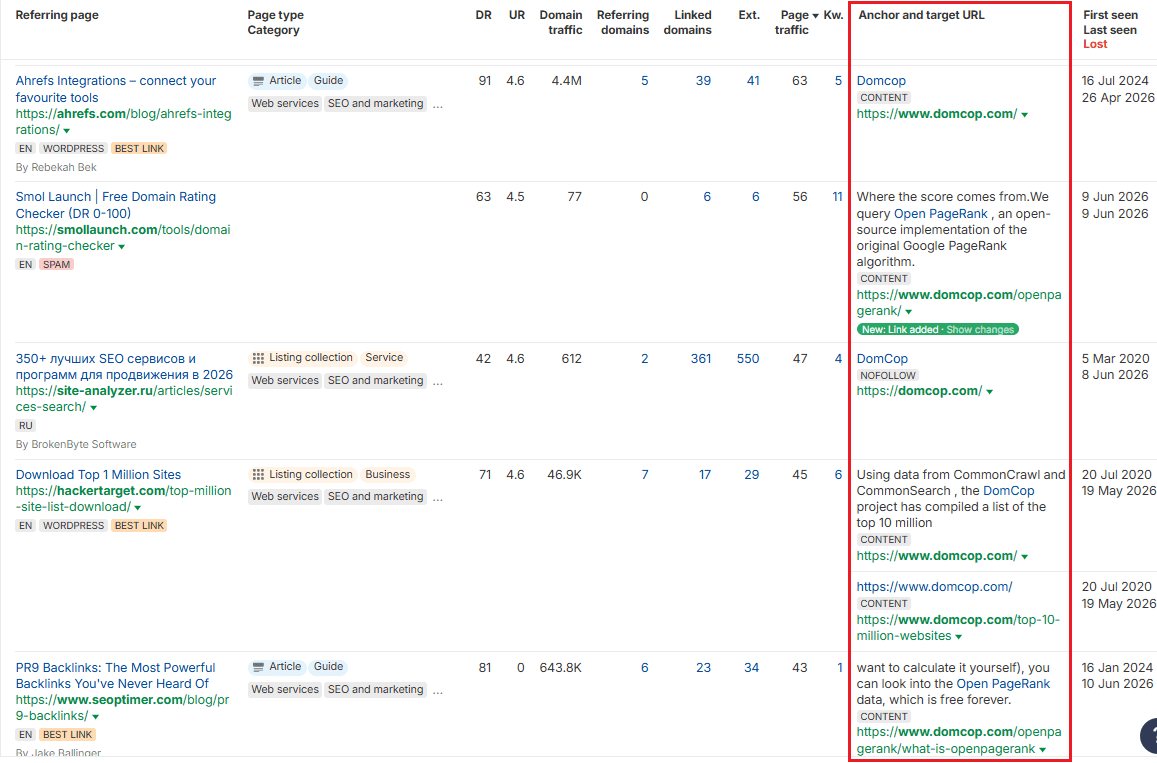
Open the domain in Ahrefs Site Explorer and go to the Backlinks report. The backlink profile is the main factor that determines whether the domain actually delivers what the metrics suggest, so spend real time here.
Anchor text distribution:
A natural and healthy anchor profile looks like this:
- Brand name anchors: 40 to 50%
- Naked URLs: 20 to 30%
- Generic terms like “click here” or “read more”: 10 to 20%
- Keyword-rich anchors: 10 to 15%
If exact-match keywords dominate the anchor profile, the domain was almost certainly built to manipulate rankings. If you see any pharma, gambling, or adult anchor text anywhere in the list, skip the domain entirely. Even a small percentage tells you the domain was used in a way Google has likely already flagged.
Referring domain growth chart:
In the Referring Domains section, look at the growth trend over time. A genuine backlink profile builds slowly and steadily over the years. So if the chart shows a flat line followed by a sharp vertical spike, someone ran a bulk link campaign at some point.
That is the exact pattern Google’s systems look for when assigning penalties.
Link placement:
Check where the links appear. In-content links from within the body of a relevant article carry real weight. But links placed in sitewide footers, sidebars, or author boxes across the same domain inflate the referring domain count without adding proportional value. What you want to see is links placed naturally within relevant content.
Step 8: Confirm Niche Relevance Before You Commit
A domain with a DR of 50 built around fitness carries almost no value if you are building a finance site. Google’s topical relevance signals matter more now than they did a few years ago. Redirecting an expired domain from a completely different niche to your main site is one of the patterns that Google’s SpamBrain system actively flags as expired domain abuse.
Here are the situations where expired domains deliver consistent results:
- Rebuilding the site with content that matches the original niche and topic
- Redirecting it page-by-page to closely matching content on your existing site
- Launching a new authority site within the same vertical as the expired domain’s original content
Before finalizing any purchase, go to the Best by Links report in Ahrefs. That report shows the pages that attracted the most backlinks. If those pages covered topics that align with your planned content, the link equity is far more likely to transfer in a meaningful way.
Step 9: Buy the Domain
Once a domain passes every check we mentioned above, move on to it quickly. Good expired domains get picked up fast.
Here are your options depending on where the domain sits in its lifecycle:
- Pending delete (dropping within 5 days): Use a drop-catching service like SnapNames, NameJet, or Pheenix to place a backorder. You only pay if you win the catch.
- Already in auction (GoDaddy Auctions, NameJet): Set a price ceiling based on the verified link quality, and do not exceed it. Most expired domains sell for more than their SEO value justifies, so having a ceiling before you start bidding matters more than speed.
- Already dropped and available: Register directly through any standard registrar at normal registration cost, typically $10 to $14.
For domains listed on curated marketplaces like Odys Global, you will pay a premium because the vetting has already been done. That makes sense if your time is the bigger constraint, but you still need to run your own checks before buying.
Quick Reference: Red Flags That Should Eliminate a Domain From Your List
Here is a summary of the signals covered throughout this guide that mean you should move on:
- site:domain.com returns zero results despite solid DR numbers
- TF-to-CF ratio below 0.5
- Pharma, gambling, or adult anchor text anywhere in the backlink profile
- Sudden niche or language switch visible in Wayback Machine history
- A sharp traffic drop that happened years before the domain expired
- Fewer than 50 unique referring domains regardless of total backlink count
- Wayback Machine last crawl date before 2022
Conclusion
Finding good expired domains is a filtering problem. Most of what you look at will not pass every step. The process works precisely because it cuts bad candidates as early as possible so that by the time you spend money, you already know what you are getting.
Tools like DomCop make that process much faster. With 90+ filters covering backlink, authority, traffic, and domain history metrics, you can spend less time sorting through junk and more time evaluating domains that are actually worth buying.